Interactive Projection Mapping for Museums and Public Spaces
TL;DR: Interactive projection mapping turns a wall or physical surface into a responsive visual experience, with artwork changing when visitors move, gesture or use a designed control. It can support museum learning, shared public art and customer experiences when the interaction serves a clear purpose. Start with the visitor's action, then test projection, sensing, accessibility and daily operation in the actual space.
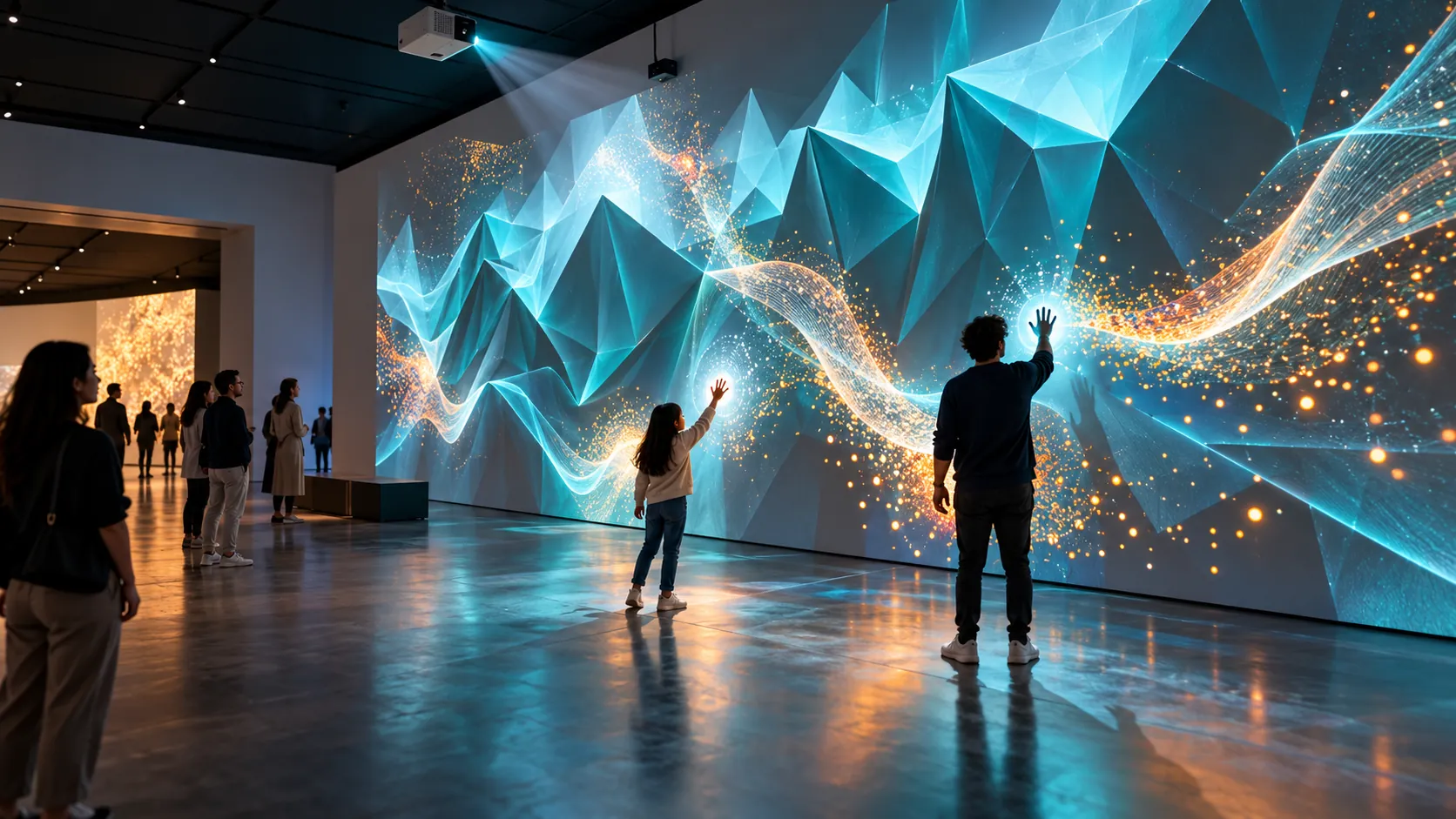
Original AI-generated concept illustration. This is a fictional installation, not a photograph of a Webbies client project.
Introduction
Imagine a museum visitor raising a hand and watching a projected landscape respond: particles gather, a river changes direction or an architectural layer reveals itself. The wall becomes something people can explore together, rather than a video they can only watch.
Interactive projection mapping can create that experience in museums, visitor centres, cultural venues, shopping destinations and selected public spaces. Its usefulness depends on a simple question: what should someone understand or enjoy because their action changes the artwork?
What Is Interactive Projection Mapping?
Interactive projection mapping is a system that aligns projected visuals with a physical surface and changes those visuals in response to participant input.
The surface might be a flat wall, a sculpted panel, an architectural feature or a display object. The content can use animation, perspective and shading to create an impression of depth. The wall remains physical; projected “3D art” does not automatically mean a hologram, a stereoscopic image or an object floating in space.
The interactive layer connects an input—such as a gesture, position, button or touch sensor—to a visible response. Ordinary projection mapping can run as a fixed sequence; interactivity requires additional input handling and behaviour. Derivative's projection-mapping documentation describes surface alignment, masking, warping and calibration tools that support the projection side of such a system.
How to Evaluate and Implement Interactive Projection Mapping
Begin with the action and its meaning
Describe the interaction in one sentence: “When a visitor moves an arm, the wall reveals the next geological layer.” Define the response, what it communicates and how a first-time participant discovers it.
Avoid starting with a long list of visual effects. A visitor should recognise that their action caused the change. Include an understandable idle state, an invitation to participate and a reset when someone leaves. In a busy venue, people will arrive halfway through someone else's turn.
Choose the input method around the audience
Different inputs solve different problems. A wall does not become touch-sensitive simply because an image is projected onto it. Touch requires a suitable sensing arrangement; body interaction requires tracking that works within the intended area.
| Input approach | Useful situation | What to test |
|---|---|---|
| Body or gesture tracking | Movement-led art and shared participation | Occlusion, reach, accidental gestures and multiple participants |
| Touch-sensitive surface | Selecting or revealing a specific detail | Reachability, sensing accuracy and surface maintenance |
| Buttons or accessible controls | Clear choices with explicit feedback | Placement, labelling and compatibility with the visitor task |
| Position or presence sensing | Triggering a scene as people approach | Zone boundaries, passersby and repeat triggering |
Not every project needs AI. A reliable button-triggered experience may serve an exhibit better than gesture recognition. The implementation should match the action, not a technology trend.
Connect sensing to a responsive visual loop
The system translates input into an event, updates the scene and projects the result. Those steps need to stay coordinated: tracking a hand correctly is not enough if the visible response arrives too late to feel connected.
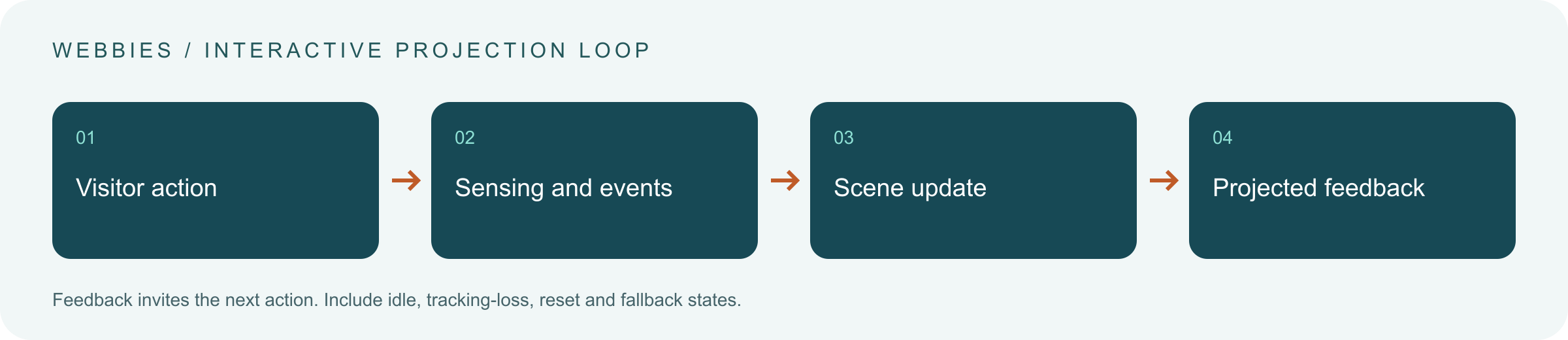
Test the whole path under representative conditions. Decide what happens if tracking is lost, two people act together or an input repeats. Provide an intentional fallback, such as an ambient sequence, rather than leaving a frozen frame on the wall.
Design the 3D illusion for real viewpoints
Depth effects can be produced through rendered geometry, shadows, motion and perspective. However, a convincing illusion from one position may look distorted from another. Derivative's documentation identifies a viewing “sweet spot” for perspective-based effects; public audiences may spread across a much wider area. Read the technical reference.
Decide whether the experience has a marked viewing position or must remain readable from several angles. Keep essential information understandable even when the illusion is less convincing. For architectural surfaces, verify alignment and account for edges, openings and areas where content must not appear.
Survey the venue before selecting equipment
Assess ambient light, surface colour and texture, viewing distance, projector position and where visitors may cast shadows. Check the space during actual opening conditions. An indoor black-box gallery and an outdoor plaza present very different constraints.
Outdoor work additionally needs an assessment of weather exposure, mounting, power, operating hours and local permissions. Have the appropriate venue and technical specialists establish equipment and installation requirements. Avoid promising that the same projector specification or sensing setup will work across both environments.
Make participation accessible and manageable
Do not require every visitor to stand, raise both arms or move quickly. Consider seated participation, simpler controls and a meaningful way to observe. Keep essential information available through more than motion or sound alone.
Plan the participation zone and circulation together. Visitors watching from the side should not block the next participant or an exit. If one interaction supports only a few people, make that limit clear. Evaluate sensory intensity, flashing effects and the need for a calmer route with the venue's accessibility team.
Connect the brief with Webbies' relevant work
Webbies' Body Movement Projection page describes a demo that translates body movement into luminous wall figures. Its Science City, Kolkata page describes an immersive science-storytelling experience in development. These statuses should remain explicit; neither establishes performance for a new venue.
The relevant project discussion can bring interaction design, visual content, tracking, application development and hardware integration into one scope. Equipment supply, specialist installation, commissioning and ongoing support need named responsibilities. For the wider learning and visitor-flow brief, read Webbies' existing immersive museum experience guide.
Practical Steps for an Interactive Wall Project
- Define one visitor outcome. Write what someone should understand, create or experience, and which action makes that happen.
- Survey the physical space. Record lighting, surfaces, viewing positions, access, circulation and available infrastructure.
- Prototype one interaction. Use simple visuals to test whether visitors discover the action and recognise the response.
- Test realistic participation. Include children, seated users, groups, passersby and people joining midway, as appropriate to the venue.
- Agree acceptance and operating duties. Specify calibration, startup, reset, fallback behaviour and responsibility for faults.
- Evaluate before expanding. Review usability, meaning and operational reliability before adding walls, scenes or locations.
For a hypothetical museum pilot, visitors could guide a projected river through a landscape and observe changes in erosion. A subject expert would validate the explanation, while visitor testing would check whether the action makes the relationship easier to understand. This example is a proposed concept, not a reported Webbies deployment.
Scope and budget depend on surface area, lighting, projection geometry, content complexity, input method, visitor capacity and operating requirements. A site survey and tested interaction concept provide a stronger estimate than a universal per-wall price. Include content updates, calibration checks and support in the operating plan.
Common Mistakes to Avoid
- Treating a large animated video as an interactive experience without a visitor-controlled response.
- Selecting projectors before reviewing the venue's lighting and geometry.
- Assuming gesture tracking works equally well with every group size or body position.
- Designing the ideal interaction while ignoring entry, reset and tracking-loss states.
- Promising increased attendance, learning or sales without an appropriate evaluation.
- Leaving staff without a practical startup, fallback and fault-reporting procedure.
Frequently Asked Questions
How does interactive projection mapping work in museums?
Sensors or controls capture a visitor's action, software changes a scene, and projectors display the response on a mapped surface. The interaction should support an exhibit's learning or storytelling goal.
Is interactive 3D wall art a hologram?
Usually, it is projected imagery using depth cues and perspective to suggest three-dimensional forms. The image remains associated with the projection surface; holographic or stereoscopic display is a separate technical choice.
Can visitors interact without touching the wall?
Yes, a suitable system can use body movement, gestures, presence or separate controls. The selected method needs testing for the venue, audience and intended number of simultaneous participants.
What affects the cost and timeline of museum projection mapping?
Site conditions, equipment, animation, interaction complexity, installation and acceptance testing shape both. Estimate after reviewing the space and the first interaction, including commissioning and support responsibilities.
Can interactive wall projection work in outdoor public spaces?
It can be considered, but ambient light, weather exposure, viewing conditions, infrastructure and permissions need a site-specific assessment. A design validated indoors should not be assumed suitable outdoors.
Conclusion
A responsive wall is useful when visitors understand how to participate and what their actions change. Plan the story, visual illusion, physical space and operating process together, then test one complete interaction before scaling. Discuss an interactive projection-mapping concept with Webbies.
Sources and further reading
- Derivative: Projection Mapping — primary documentation on mapping, masking, calibration and perspective-based projection; reviewed on 30 October 2026. This reference does not imply that Webbies uses this software in the projects cited above.
Discuss your project
Plan an interactive wall or museum experience with Webbies. Bring photographs or plans of the space, the intended audience and one interaction you want visitors to try.