
ERP Integration: Connect Systems Without Losing Data Ownership
TL;DR: ERP integration connects an enterprise resource planning system with other applications through controlled exchanges of business records and events. Map record meaning, identifiers and field ownership. Real-time integration is not automatically better; timing should match the business decision and system constraints.

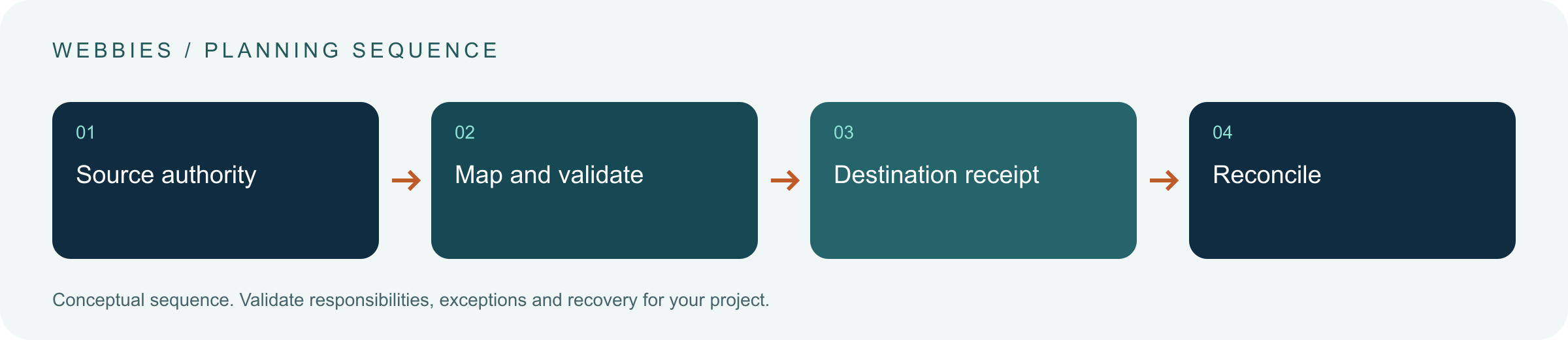
Original AI-generated editorial illustration; it depicts a concept rather than a client deployment or product screenshot.
Introduction
An integration can successfully move a record and still damage the process if nobody agrees which system owns it. Product, price, stock and customer information may have different authorities. Define those responsibilities before deciding how frequently systems should exchange data. Here is how to evaluate ERP integration against that business need.
What Is ERP integration?
ERP integration connects an enterprise resource planning system with other applications through controlled exchanges of business records and events.
Different systems use different identifiers and state definitions. Retries can create duplicate transactions without durable controls. A missing record needs an accountable reconciliation route.
Real-time integration is not automatically better; timing should match the business decision and system constraints. The scope should make this distinction clear before the team commits to a solution.
Technical context: AWS explains that retries can repeat side effects unless operations are designed for safe repetition. AWS: Idempotency and retries
Why ERP integration Matters
- Different systems use different identifiers and state definitions.
- Retries can create duplicate transactions without durable controls.
- A missing record needs an accountable reconciliation route.
How to Evaluate and Implement ERP integration
Specify ownership at field level
Map products, customers, orders and financial records with their authoritative source. State which fields downstream systems may edit and how those edits return. Record unit, currency, timezone and status conventions. A shared field name does not prove shared meaning. Clarify whether stock means physical quantity, reserved stock or availability for a specific sales channel before building an interface around it.
Design delivery and recovery
Choose synchronous calls for operations requiring an immediate answer and queued events for appropriate asynchronous work. Use stable identifiers, version checks and idempotent handlers. Preserve failed messages with enough context to diagnose and safely retry. Avoid silent retry loops that continually damage a business record. Plan how to handle destination downtime, changed schemas and partial completion across several systems.
Make reconciliation part of normal operation
Build checks that compare expected and actual business states, not merely API success counts. Give staff a queue with record references, failure reasons and approved repair actions. Define who owns monitoring and how incidents are escalated. Test during periods representative of real demand and scheduled jobs. A dependable integration needs an operating procedure for the day when one system behaves differently from the specification.
Compare the available approaches
| Approach | Suitable starting point | Main limitation or responsibility |
|---|---|---|
| Point-to-point API | A small number of direct interactions | Coupling and error handling |
| Event-driven integration | Asynchronous changes across systems | Ordering, retries and reconciliation |
| Scheduled exchange | Batch-compatible business processes | Freshness and partial-file recovery |
A practical example
A hypothetical distributor connects a dealer portal to an ERP. The ERP owns commercial terms and accepted orders, while the portal owns draft enquiries. Each submission has a stable external reference. If the network fails after the ERP creates the order, the retry looks up that reference rather than creating another order. A reconciliation report flags requests that remain unresolved beyond the agreed operating window.
An acceptance test worth running
Interrupt the connection immediately after the destination creates a record. Retry with the same external identifier and inspect both systems. Introduce a malformed unit and a stale record version. The integration should prevent duplication, reject or route invalid data and make the unresolved case visible. The business owner should be able to reconcile the final state independently of API status codes.
What to measure
Track business-record consistency, unresolved failures, duplicate prevention, freshness and recovery time.
Use a representative baseline and record the conditions of the comparison. Agree who reviews failures and what evidence is needed before expanding the scope. For a broader view of the related delivery work, explore Webbies services.
Practical Steps for ERP integration
- Map record meaning, identifiers and field ownership.
- Define timing, acceptance and duplicate-handling contracts.
- Implement visible failure queues and reconciliation.
- Test downtime, partial success and schema changes with the owners.
Prepare a useful project brief
| Decision | What to establish |
|---|---|
| Audience | IT and operations leaders connecting business systems |
| First boundary to agree | Map record meaning, identifiers and field ownership. |
| Evidence of useful performance | Track business-record consistency, unresolved failures, duplicate prevention, freshness and recovery time. |
| Estimate dependency | Legacy access, data quality, transformation rules, interface limits and continuity requirements shape scope. |
Bring sample inputs and an example of an exception to the first discussion. Separate confirmed requirements from assumptions, and identify who can supply missing information. The brief should let a delivery team explain what it needs to investigate before making a detailed commitment.
Common Mistakes to Avoid
- Equating HTTP success with business acceptance.
- Allowing multiple masters for the same field without a rule.
- Launching without a way to reconcile missing transactions.
Frequently Asked Questions
What does ERP integration mean in a business project?
ERP integration connects an enterprise resource planning system with other applications through controlled exchanges of business records and events.
How should a team begin evaluating enterprise systems integration?
Map record meaning, identifiers and field ownership. Define timing, acceptance and duplicate-handling contracts.
How do we measure whether ERP API integration is useful?
Track business-record consistency, unresolved failures, duplicate prevention, freshness and recovery time.
What affects the cost or timeline of ERP integration?
Legacy access, data quality, transformation rules, interface limits and continuity requirements shape scope. A delivery estimate should follow a review of these dependencies.
What is a common misconception about ERP integration?
Real-time integration is not automatically better; timing should match the business decision and system constraints.
Conclusion
Integration succeeds when records retain their meaning and authority across systems. Safe retries and routine reconciliation turn data movement into a dependable business handoff. Assess an ERP integration boundary with Webbies.
Sources and further reading
- AWS: Idempotency and retries — primary technical reference, checked during research on 30 October 2026.
Discuss your project
Assess an ERP integration boundary. Share the current workflow, intended users, existing systems and the decision you need to make; the next step can be a 20–30 minute discovery discussion.