Connected Device App: Plan Hardware, Software and Recovery Together
TL;DR: A connected device app exchanges observations or commands with physical hardware and presents the resulting state through a mobile or web interface. Agree message and state contracts with hardware owners. A connected app is not a substitute for hardware engineering, manufacturing or product-safety validation.
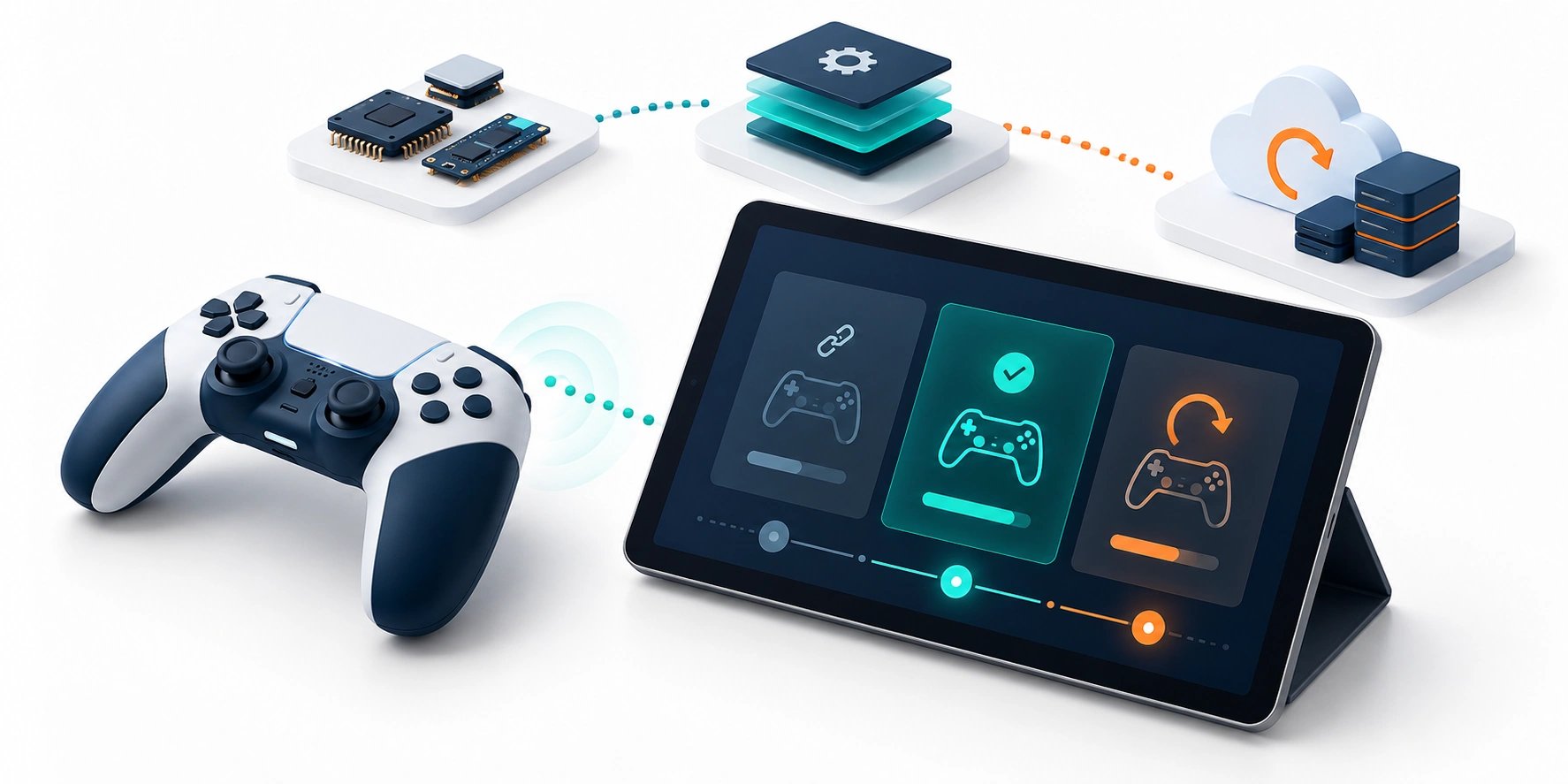
Original AI-generated editorial illustration; it depicts a concept rather than a client deployment or product screenshot.
Introduction
A physical action and the corresponding screen response must remain understandable when messages are delayed or a connection drops. Connected-product design requires agreement on the device protocol and the business state. It is not complete when a tablet successfully receives one test message. Here is how to evaluate connected device app against that business need.
What Is connected device app?
A connected device app exchanges observations or commands with physical hardware and presents the resulting state through a mobile or web interface.
Transport delivery does not establish completed physical action. Reconnects can duplicate or reorder events. Hardware and application versions evolve together.
A connected app is not a substitute for hardware engineering, manufacturing or product-safety validation. The scope should make this distinction clear before the team commits to a solution.
Technical context: AWS distinguishes requested and reported device state through its Device Shadow model. AWS IoT: Device Shadow service
Why connected device app Matters
- Transport delivery does not establish completed physical action.
- Reconnects can duplicate or reorder events.
- Hardware and application versions evolve together.
How to Evaluate and Implement connected device app
Define the shared protocol
Document message types, identifiers, units, acknowledgements and error codes with the hardware team. Decide which component owns each state. Distinguish raw sensor input from interpreted product events. Version the contract so an updated app can identify incompatible firmware. A protocol specification should include malformed messages and missing data rather than describing only the successful exchange.
Design sessions and reconnection
Define pairing, discovery, authentication and session recovery as appropriate to the device. Use event identifiers and ordering where duplicate or late messages matter. Decide how the interface behaves when it cannot confirm the current state. Test interruption during an important action, not just before starting. Preserve enough context to resume or reset safely under the product's agreed rules.
Test software with representative hardware
Include firmware variation, battery conditions, radio interference and operating-system behaviour. Keep the hardware team involved in diagnosis. A simulator can accelerate development but cannot replace physical integration tests. Clarify responsibility for controllers, sensors, enclosures and deployment. A software partner's integration scope should not be presented as turnkey manufacturing capability unless that broader role is explicitly established.
Compare the available approaches
| Approach | Suitable starting point | Main limitation or responsibility |
|---|---|---|
| Simulator testing | Develop against a controlled protocol | Misses physical behaviour |
| Device bench test | Validate real exchanges | Limited environmental variation |
| Field pilot | Observe actual operating conditions | Needs support and recovery ownership |
A practical example
A hypothetical connected game sends physical scoring events to an Android interface. Each event has an identifier, and the app preserves the session across a short interruption. On reconnection, the system checks whether events are missing before updating the display. The release tests actual devices and firmware combinations. The example is illustrative and makes no claim of a completed client product.
An acceptance test worth running
Interrupt communication during a session, duplicate an event and reconnect using a different supported firmware version. Inspect ordering, acknowledgement and state recovery. Repeat on physical hardware under representative conditions. A simulator result should remain labelled as such. The app should never replay a consequential physical command simply because it did not receive a clear response.
What to measure
Track event correctness, reconnect recovery, version compatibility and confirmed command outcomes.
Use a representative baseline and record the conditions of the comparison. Agree who reviews failures and what evidence is needed before expanding the scope. For a broader view of the related delivery work, explore Webbies services.
Practical Steps for connected device app
- Agree message and state contracts with hardware owners.
- Define pairing, versioning and recovery rules.
- Test duplicate, missing and delayed events.
- Pilot representative devices and document support responsibilities.
Prepare a useful project brief
| Decision | What to establish |
|---|---|
| Audience | product companies connecting physical devices to mobile software |
| First boundary to agree | Agree message and state contracts with hardware owners. |
| Evidence of useful performance | Track event correctness, reconnect recovery, version compatibility and confirmed command outcomes. |
| Estimate dependency | Protocol maturity, hardware availability, device variants and physical testing requirements determine effort. |
Bring sample inputs and an example of an exception to the first discussion. Separate confirmed requirements from assumptions, and identify who can supply missing information. The brief should let a delivery team explain what it needs to investigate before making a detailed commitment.
Common Mistakes to Avoid
- Treating one message as integration completion.
- Ignoring firmware compatibility.
- Replaying physical commands blindly after reconnect.
Frequently Asked Questions
What does connected device app mean in a business project?
A connected device app exchanges observations or commands with physical hardware and presents the resulting state through a mobile or web interface.
How should a team begin evaluating hardware software integration app?
Agree message and state contracts with hardware owners. Define pairing, versioning and recovery rules.
How do we measure whether Bluetooth connected app is useful?
Track event correctness, reconnect recovery, version compatibility and confirmed command outcomes.
What affects the cost or timeline of connected device app?
Protocol maturity, hardware availability, device variants and physical testing requirements determine effort. A delivery estimate should follow a review of these dependencies.
What is a common misconception about connected device app?
A connected app is not a substitute for hardware engineering, manufacturing or product-safety validation.
Conclusion
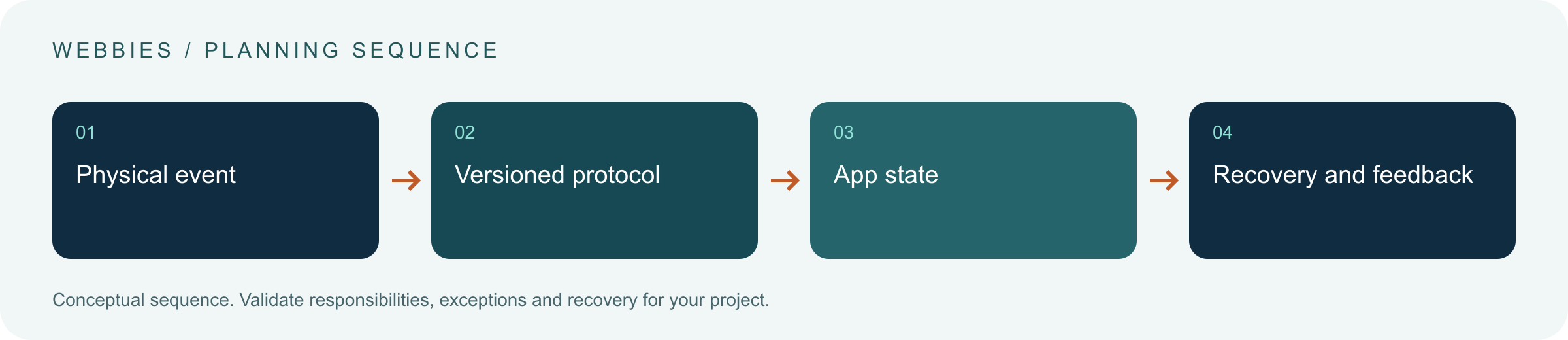
Connected applications need a versioned agreement between physical events and software state. Test interruptions and real devices before treating a successful message as product readiness. Scope a connected-device application with Webbies.
Sources and further reading
- AWS IoT: Device Shadow service — primary technical reference, checked during research on 30 October 2026.
Discuss your project
Scope a connected-device application. Share the current workflow, intended users, existing systems and the decision you need to make; the next step can be a 20–30 minute discovery discussion.