Computer Vision Quality Inspection: Plan a Factory Pilot
TL;DR: Computer vision quality inspection uses camera imagery and software models to identify visual conditions relevant to a defined product-quality check. Define defects and acceptable variation with quality staff. A successful image demo does not establish production readiness or coverage of defects that a camera cannot observe.
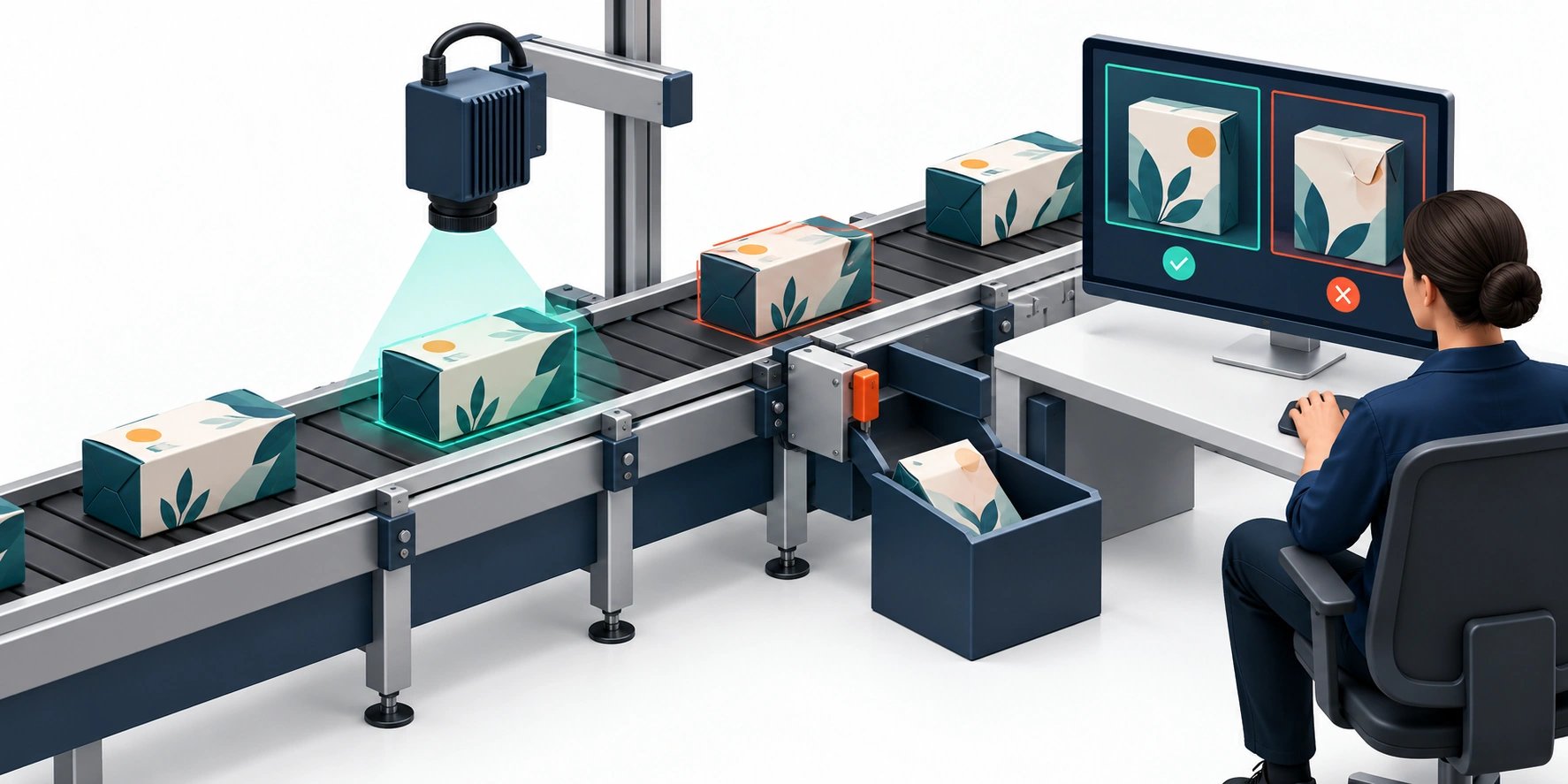
Original AI-generated editorial illustration; it depicts a concept rather than a client deployment or product screenshot.
Introduction
A model that detects a defect in a prepared image has not yet proved it can inspect a moving production line. Lighting, camera position, speed and the definition of an unacceptable product all influence the result. Start with a controlled quality question and a plan for reviewing uncertain cases. Here is how to evaluate computer vision quality inspection against that business need.
What Is computer vision quality inspection?
Computer vision quality inspection uses camera imagery and software models to identify visual conditions relevant to a defined product-quality check.
Defects and acceptable variation need explicit definitions. Production conditions differ from prepared demonstrations. A detection must connect to an appropriate operating response.
A successful image demo does not establish production readiness or coverage of defects that a camera cannot observe. The scope should make this distinction clear before the team commits to a solution.
Technical context: OpenCV documents image processing, camera calibration and neural-network inference capabilities. OpenCV: Computer vision tutorials
Why computer vision quality inspection Matters
- Defects and acceptable variation need explicit definitions.
- Production conditions differ from prepared demonstrations.
- A detection must connect to an appropriate operating response.
How to Evaluate and Implement computer vision quality inspection
Define the inspection task with quality staff
Choose one defect category and specify what counts as acceptable variation. Gather representative products, including difficult borderline cases. Separate visible quality conditions from defects that cannot be observed by the camera. Have qualified staff label the evidence and document disagreements. A model cannot resolve an undefined acceptance policy merely by producing a confidence score.
Engineer the image-capture conditions
Evaluate lighting, exposure, camera placement, motion and product orientation. Test changes across shifts, batches and packaging variants. Establish whether the available image resolution supports the relevant defect size. A controlled capture setup may improve performance more than a larger model. Keep production hardware, guarding and line-control responsibilities with the appropriate engineering and safety owners.
Validate the operational decision
Report false accepts and false rejects separately because their consequences differ. Decide when a result triggers review rather than rejection. Measure end-to-end latency and the reliability of the interface to operators or downstream systems. Run a controlled pilot before integrating consequential actuation. Preserve sample evidence and versions so a performance change can be traced to imagery, product variation or model updates.
Compare the available approaches
| Approach | Suitable starting point | Main limitation or responsibility |
|---|---|---|
| Manual inspection | Flexible human judgement | Consistency and throughput constraints |
| Rule-based vision | Stable visual measurement | Sensitive to uncontrolled variation |
| Model-based inspection | Learned visual patterns | Requires labelled data and field validation |
A practical example
A hypothetical packaging line tests print inspection for a specified alignment defect. The pilot first records images and compares model suggestions with quality reviewers. Automatic rejection remains outside this initial scope. Tests include acceptable design variation and motion blur. The result is a decision about capture quality and detection suitability, not a general claim that the system inspects every manufacturing defect.
An acceptance test worth running
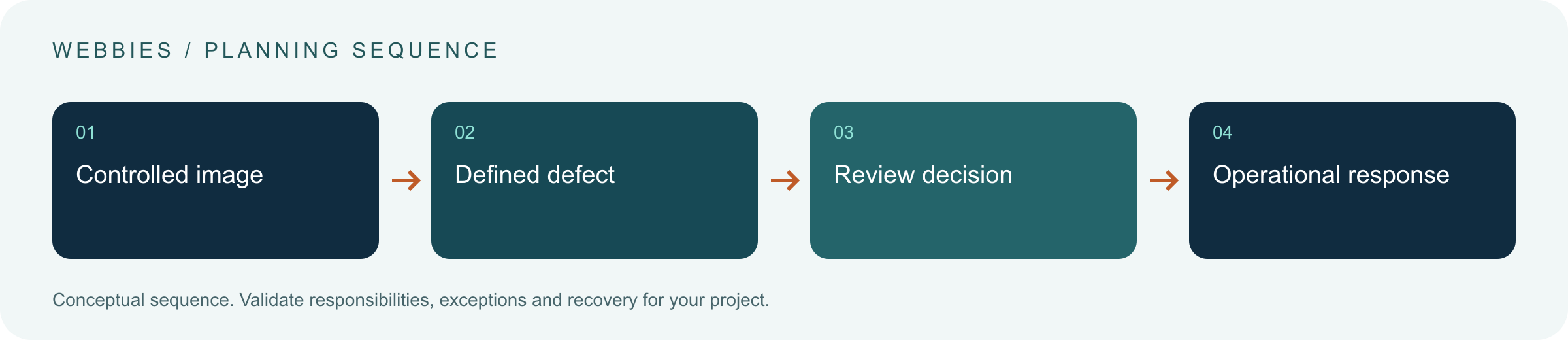
Evaluate images from a held-out production batch containing borderline acceptable variation and the defined defect. Change lighting and line conditions within the proposed scope. Have quality staff inspect false accepts and false rejects separately. Keep model suggestions in a review-only path initially. The decision should show whether capture and detection support the chosen check, without inferring readiness for unrelated defects.
What to measure
Track false accepts, false rejects, review demand, capture failures and end-to-end latency by production condition.
Use a representative baseline and record the conditions of the comparison. Agree who reviews failures and what evidence is needed before expanding the scope. For a broader view of the related delivery work, explore Webbies services.
Practical Steps for computer vision quality inspection
- Define defects and acceptable variation with quality staff.
- Establish repeatable image capture.
- Evaluate held-out batches and difficult borderline cases.
- Pilot review and response before consequential line control.
Prepare a useful project brief
| Decision | What to establish |
|---|---|
| Audience | manufacturing and quality leaders considering a camera-based pilot |
| First boundary to agree | Define defects and acceptable variation with quality staff. |
| Evidence of useful performance | Track false accepts, false rejects, review demand, capture failures and end-to-end latency by production condition. |
| Estimate dependency | Defect visibility, capture hardware, data labelling, line integration and validation coverage determine scope. |
Bring sample inputs and an example of an exception to the first discussion. Separate confirmed requirements from assumptions, and identify who can supply missing information. The brief should let a delivery team explain what it needs to investigate before making a detailed commitment.
Common Mistakes to Avoid
- Reporting only overall accuracy.
- Testing only clear defects from the training collection.
- Treating camera software as a complete safety system.
Frequently Asked Questions
What does computer vision quality inspection mean in a business project?
Computer vision quality inspection uses camera imagery and software models to identify visual conditions relevant to a defined product-quality check.
How should a team begin evaluating AI visual inspection?
Define defects and acceptable variation with quality staff. Establish repeatable image capture.
How do we measure whether manufacturing defect detection is useful?
Track false accepts, false rejects, review demand, capture failures and end-to-end latency by production condition.
What affects the cost or timeline of computer vision quality inspection?
Defect visibility, capture hardware, data labelling, line integration and validation coverage determine scope. A delivery estimate should follow a review of these dependencies.
What is a common misconception about computer vision quality inspection?
A successful image demo does not establish production readiness or coverage of defects that a camera cannot observe.
Conclusion
A factory vision pilot needs a defined defect, controlled images and operational validation. Keep production claims within the conditions and decisions that have actually been assessed. Scope a visual-inspection feasibility pilot with Webbies.
Sources and further reading
- OpenCV: Computer vision tutorials — primary technical reference, checked during research on 30 October 2026.
Discuss your project
Scope a visual-inspection feasibility pilot. Share the current workflow, intended users, existing systems and the decision you need to make; the next step can be a 20–30 minute discovery discussion.