
Case study Experiences
All projectsVulkan Darts
Bringing immersive visuals, multiple game modes, and intuitive navigation to the darts cabinet experience.
Overview
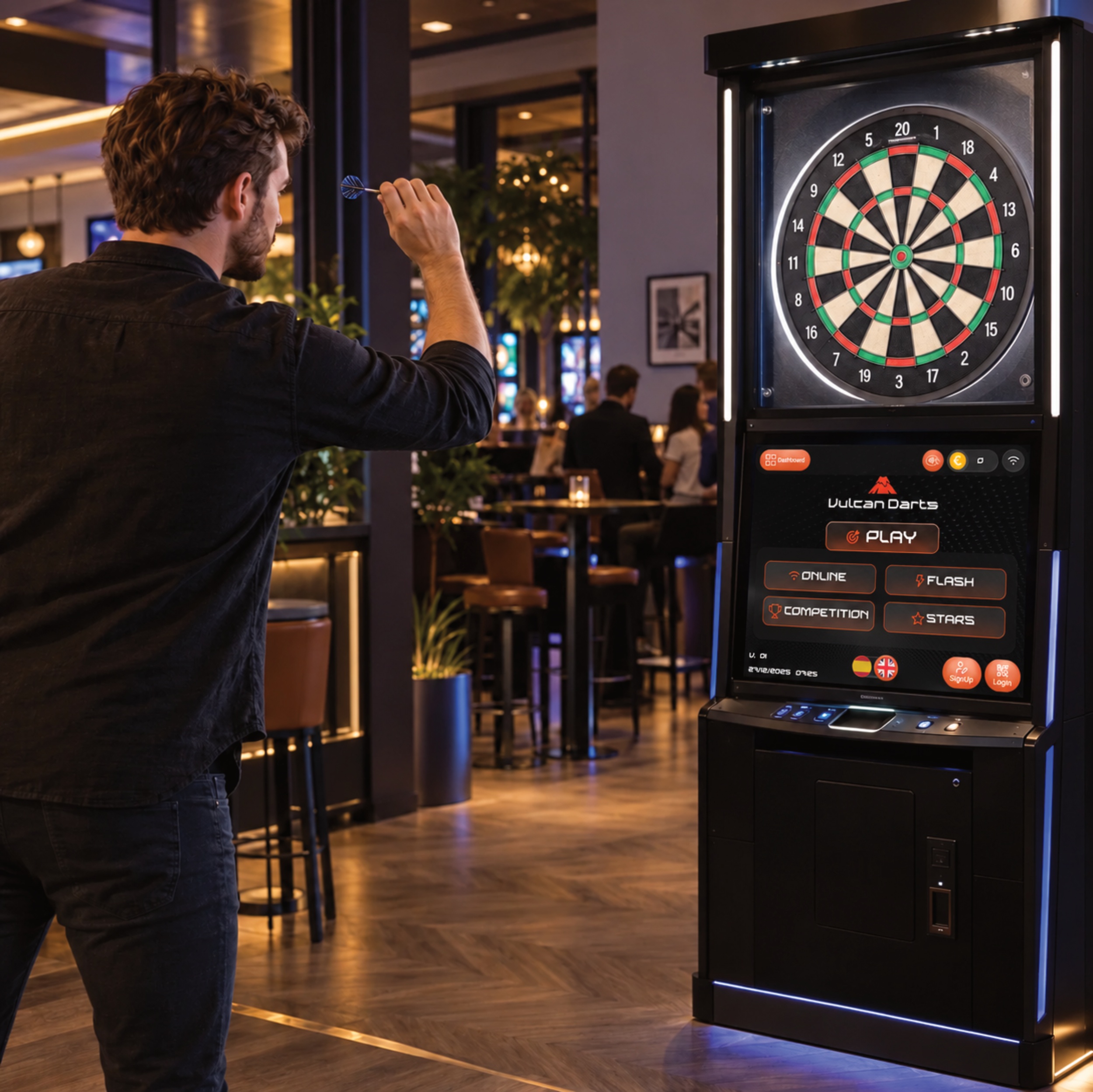
Webbies designed Vulcan Darts’ interactive darts gaming interface to combine immersive visuals, multiple game modes, and intuitive navigation. The project focuses on the digital experience players encounter as part of a physical darts setup.
In a cabinet-based gaming experience, the interface sits alongside the activity itself. Players need to identify their options, choose how they want to play, and find a clear starting point. The supplied reference shows an integrated screen below the dartboard, with a prominent Play action and distinct game-mode choices.
Webbies’ role, as described in the project brief, centers on interface design. The experience connects Vulcan Darts branding with game selection and visible player controls, supporting an engaging route into play.
Specifications
- Client
- Vulcan Darts
- Design partner
- Webbies
- Product
- Interactive darts gaming interface
- Stated scope
- Gaming interface design with immersive visuals and intuitive navigation
- Physical context shown
- Darts cabinet with a screen positioned below the dartboard
- Core capability
- Multiple interactive game modes
- Primary action shown
- Play
- Mode labels shown
- Online, Flash, Competition, and Stars
- Additional controls shown
- Sign Up, Login, and language-selection icons
- Visual direction
- Dark interface with orange accents and Vulcan Darts branding
- Services
- Software · Connected hardware · Interaction design
- Project status
- International collaboration
Features
Immersive gaming presentation
The interface uses a dark visual foundation, bright orange controls, and prominent Vulcan Darts branding. This treatment gives the digital screen a consistent identity within the cabinet and keeps key choices visually distinct.
Multiple game-mode choices
The project brief identifies multiple interactive game modes as a core feature. The reference presents four labeled choices—Online, Flash, Competition, and Stars—in a compact selection area. Their rules, availability, and detailed behavior are not documented in the supplied material.
A clear starting point
A prominent Play action provides a recognizable entry point to the gaming experience. Its placement alongside the mode choices connects the main action with the options players can explore. The source does not show the exact sequence between selecting a mode and starting a game.
Intuitive player navigation
The screen groups the main play controls, mode choices, and additional player actions into distinct areas. This organization supports the brief’s emphasis on intuitive navigation, giving players visible destinations as they explore the interface.
Player access controls
Sign Up and Login controls appear near the bottom of the interface, alongside language-selection icons. These provide visible access points for additional player options. Account workflows, supported languages, and localization behavior are not specified.
The design brings three player needs together:
Orient: Recognize the game interface and locate its main controls.
Choose: Explore the available game-mode labels and play options.
Begin: Use the prominent Play entry point to move toward the game experience.
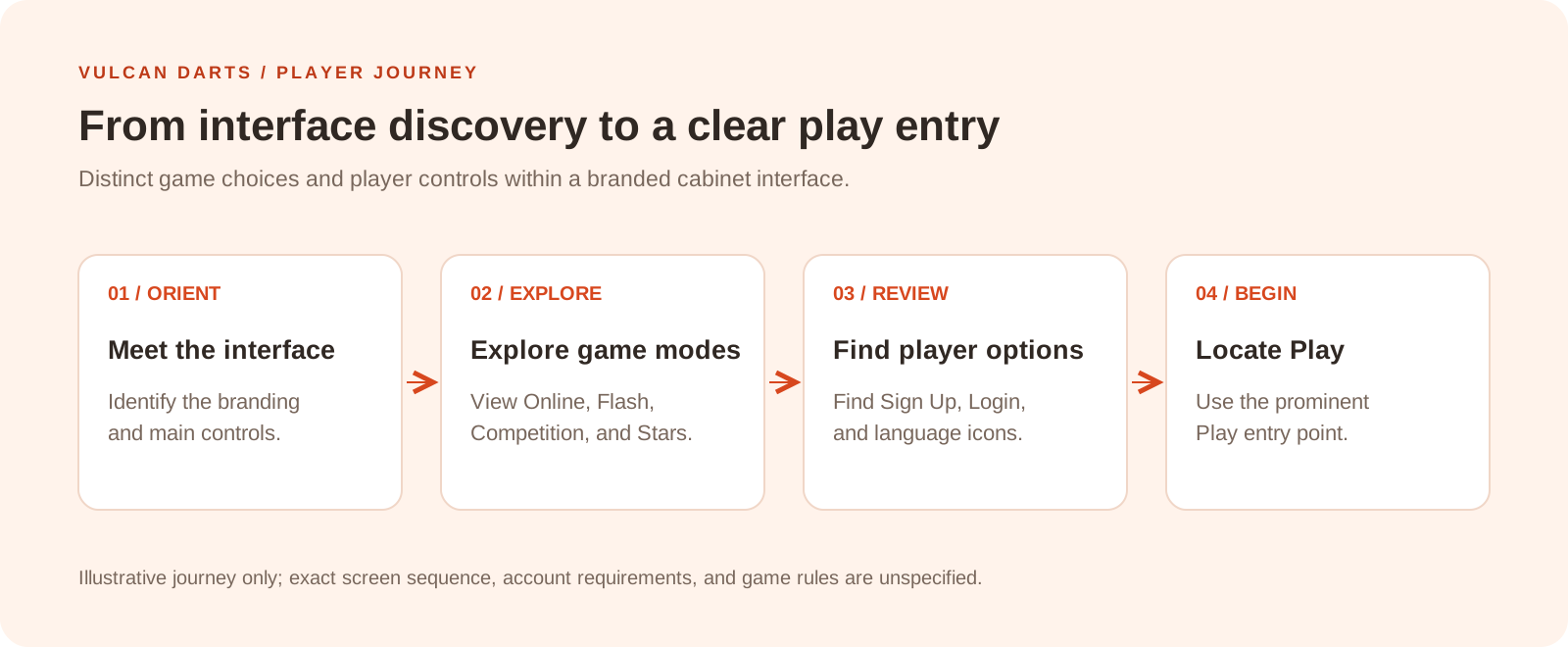
Illustrative journey based on the supplied interface and brief. It does not establish the exact screen sequence, account requirements, or gameplay rules.
Architecture
At a functional level, the interface brings together visual presentation, game-mode selection, and player access controls within the darts cabinet screen. The physical cabinet provides context for where the interface is experienced.
The diagram below groups these responsibilities into a conceptual interface architecture. It describes the visible design rather than a verified game engine, hardware integration, or deployment design.
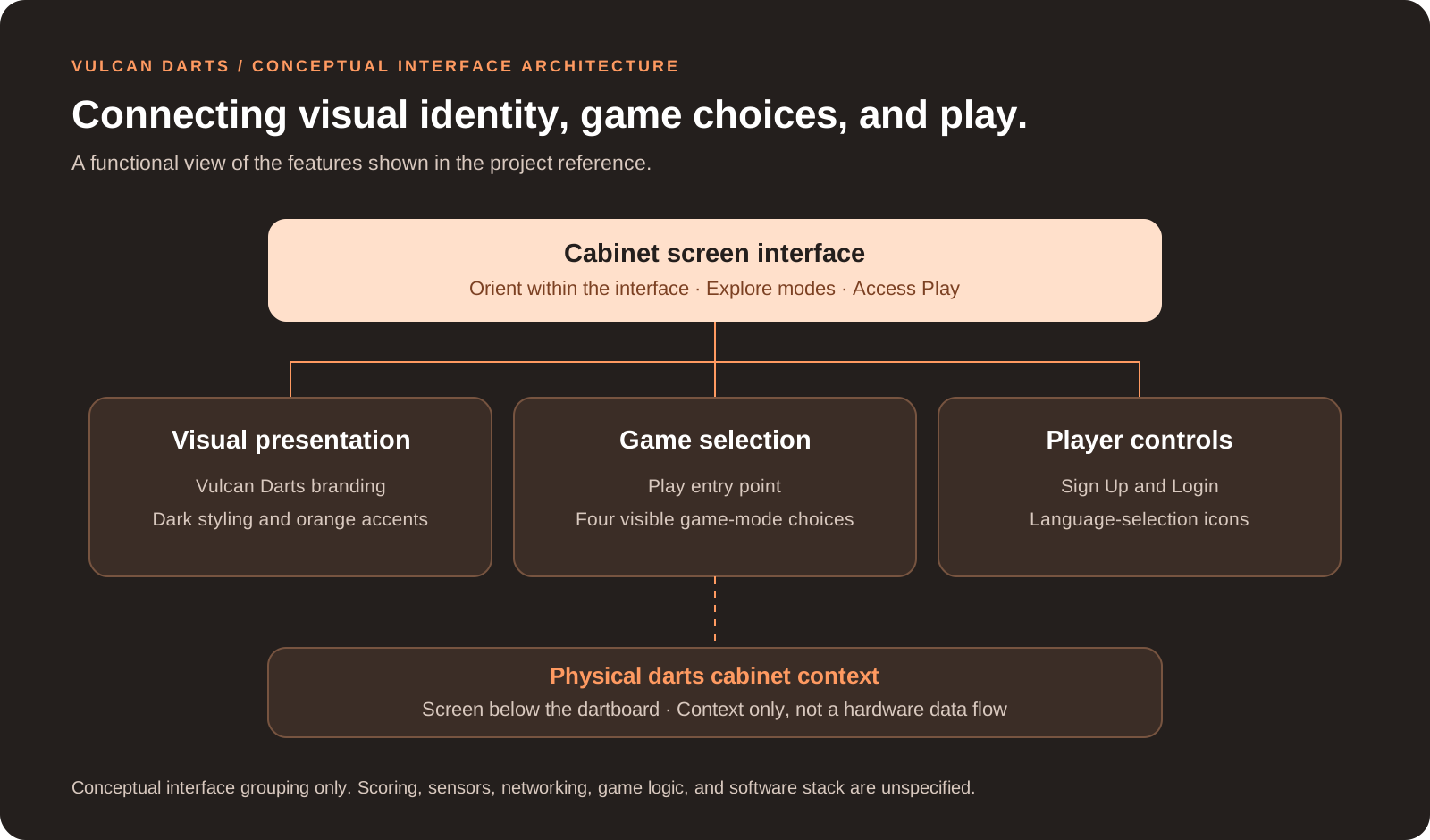
Cabinet screen interface
Presents the digital experience below the dartboard in the supplied reference.
Visual presentation
Groups branding, dark backgrounds, orange accents, and the layout of visible actions.
Game selection
Represents the Play entry point and the four visible mode choices.
Player controls
Represents Sign Up, Login, and language-selection icons, without specifying their implementation.
Physical darts cabinet context
Locates the interface within the player’s physical setup; it does not imply a particular communication or sensing mechanism.
Architecture scope: This is a conceptual functional view inferred from the supplied image and brief. Software frameworks, scoring logic, sensors, cabinet communication, networking, account services, and game-engine implementation were not supplied. The Online label alone does not establish multiplayer behavior. No measured engagement improvements or hardware-development claims are asserted.
Explore further
Have a similar challenge?