
Case study Websites
All projectsMetravi
Making a broad instrument catalogue easier to explore through organized categories, product-finding tools, and intuitive navigation.
Overview
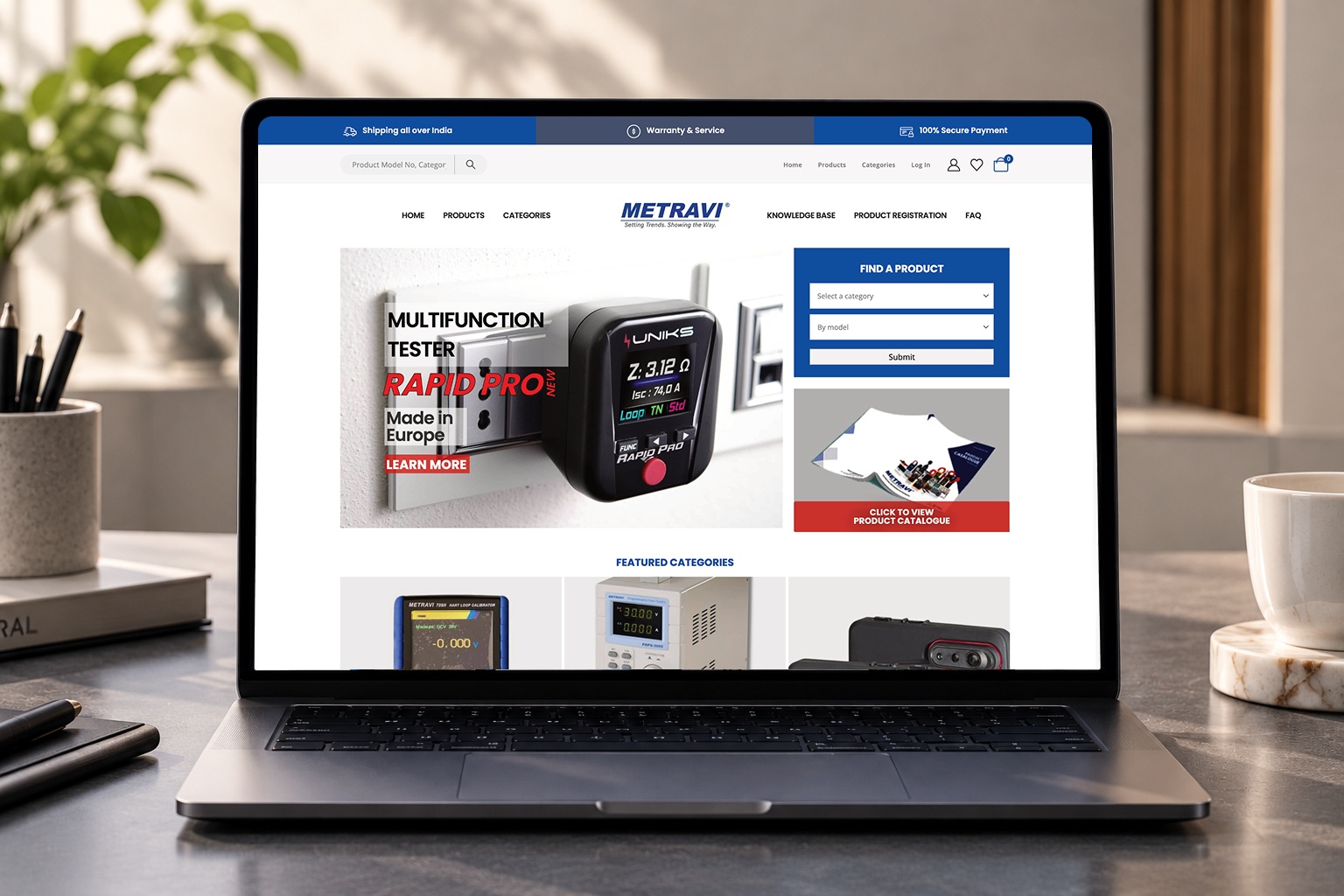
Webbies developed Metravi’s testing and measuring instruments website to present professional instruments through an organized product catalogue and intuitive navigation. The project brings a broad product offering into a digital experience centered on discovery and exploration.
A technical catalogue needs to accommodate different starting points. Some visitors know the model they want; others begin with a product category or want to browse the available range. The supplied reference shows search, product and category navigation, and a dedicated Find a Product panel, giving visitors several routes into the catalogue.
The website connects those discovery tools with featured categories and supporting resources. This structure helps visitors move from a broad introduction to more focused product exploration while keeping information such as the Knowledge Base, Product Registration, and FAQ accessible in the navigation.
Specifications
- Client
- Metravi
- Development partner
- Webbies
- Product
- Testing and measuring instruments website
- Core focus
- Extensive product catalogue and intuitive product exploration
- Product discovery shown
- Search, Products and Categories navigation, and featured categories
- Product finder shown
- Category and model selectors with a Submit action
- Catalogue access
- Prominent product catalogue link on the homepage
- Supporting navigation shown
- Knowledge Base, Product Registration, and FAQ
- Additional controls shown
- Login/account, wishlist, and cart icons
- Platform reference
- WordPress badge shown in the supplied project image
- Services
- E-commerce · Test instruments · Product catalogue
Features
Organized instrument catalogue
The project presents professional testing and measuring instruments through a structured catalogue. Products and Categories navigation, alongside a featured-category section, give the range clear entry points and support exploration beyond an individual homepage promotion.
Category-and-model product finder
A dedicated Find a Product panel includes category and model selectors with a Submit action. This gives visitors a focused starting point when they have a product category or model in mind. The supplied image does not show the resulting page or how the two selectors interact.
Search-led exploration
A search field appears in the upper navigation area, providing another route to product discovery. Together with the catalogue navigation and finder panel, it supports different browsing preferences within the same website.
Prominent product and catalogue presentation
The homepage pairs an instrument promotion with a catalogue access panel and featured categories. This layout brings selected products and the wider range into view, helping visitors choose between exploring a highlighted instrument and browsing more broadly.
Supporting product information
Knowledge Base, Product Registration, and FAQ appear as navigation destinations. These routes connect product exploration with supporting information and registration access. Their detailed content, forms, and underlying workflows are not shown in the reference.
The experience brings three visitor needs together:
Browse: Explore product categories and the wider instrument catalogue.
Find: Use search or the category-and-model finder to begin a focused enquiry.
Learn more: Access catalogue material and supporting information routes.
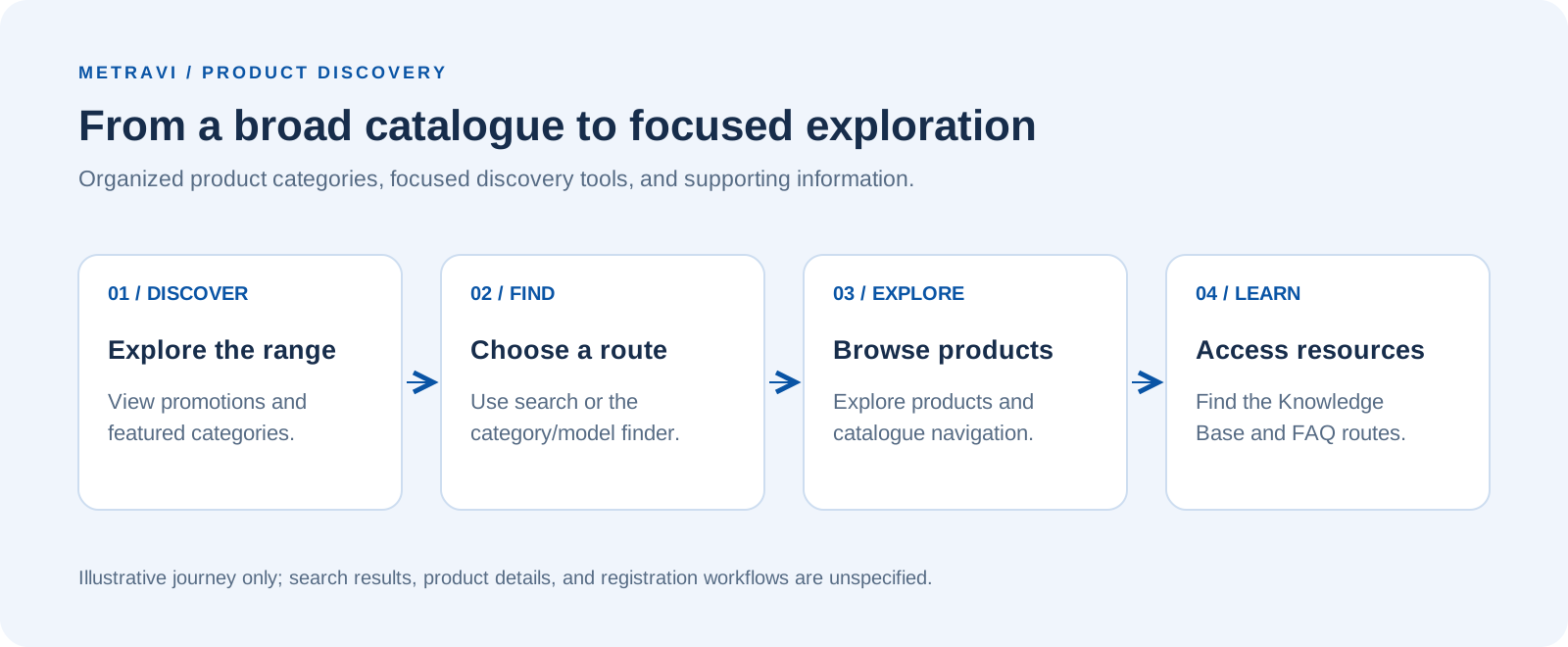
Illustrative journey based on the visible interface. Search results, product-detail behavior, and registration workflows are not documented in the supplied material.
Architecture
At a functional level, the website connects catalogue presentation, product discovery tools, and supporting information. WordPress is indicated by the platform badge in the project reference.
The diagram groups these responsibilities into a conceptual architecture. It describes the website’s visible functions rather than a verified software deployment or integration design.
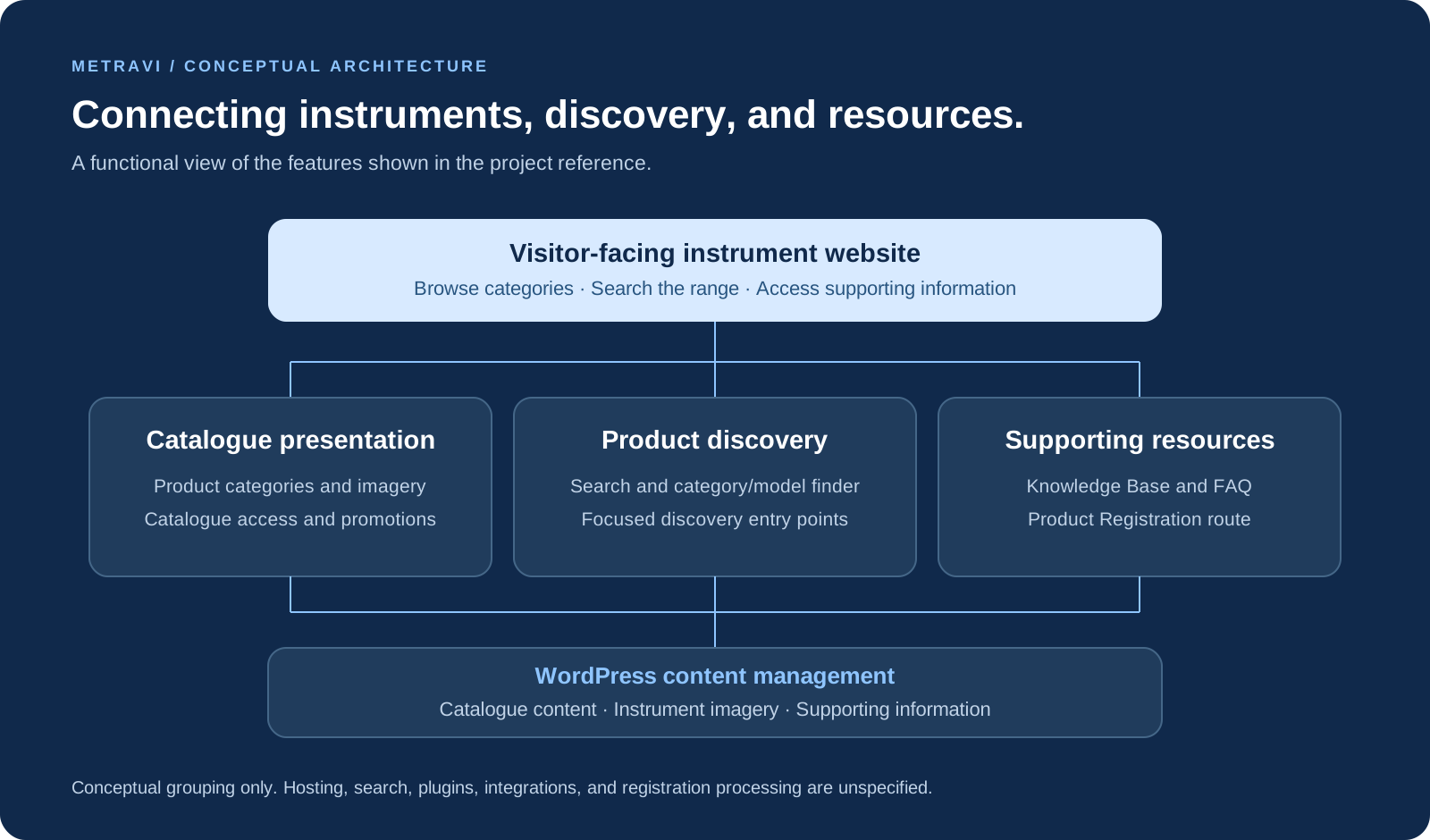
Visitor-facing website
Brings product navigation, homepage promotions, and discovery controls into one interface.
Catalogue presentation
Groups product categories, instrument imagery, and catalogue access.
Product discovery
Represents search and the category-and-model finder shown in the reference.
Supporting resources
Groups the visible Knowledge Base, Product Registration, and FAQ destinations.
WordPress content management
Represents the CMS indicated by the supplied badge. Themes, plugins, content models, and publishing workflows are unspecified.
Architecture scope: This is a conceptual functional view inferred from the supplied image and brief. Hosting, search implementation, integrations, and registration processing were not supplied. Visible account, wishlist, and cart controls do not establish the checkout or payment implementation. No instrument-performance claims or measured website outcomes are asserted.
Explore further
Have a similar challenge?